

 March 21, 2026
  14 Min
  No Comment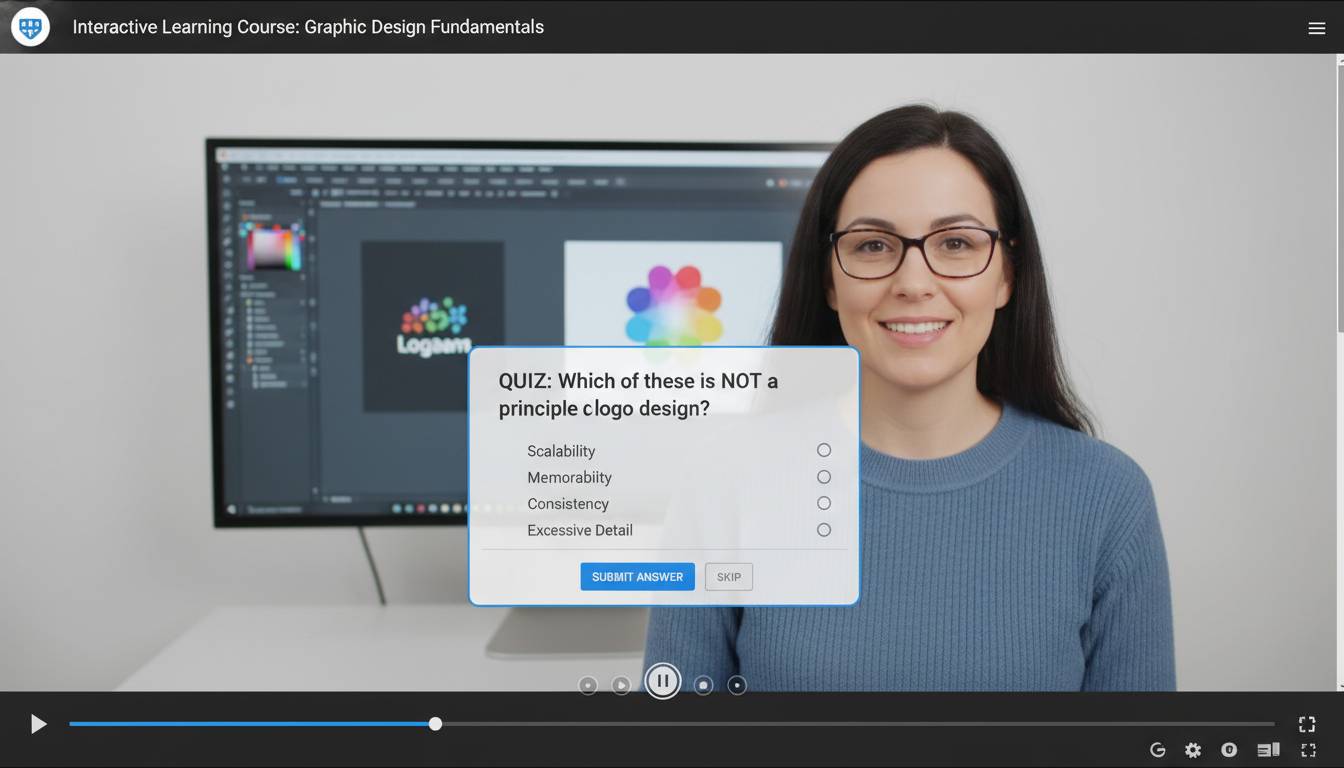
Interactive learning videos transform passive viewers into active participants, dramatically improving knowledge retention and engagement. Unlike traditional lecture-style recordings, interactive videos embed choices, quizzes, and branching pathways that respond to viewer actions. Research shows learners who engage with interactive video content retain up to 60% more information compared to passive viewing. This guide walks you through creating professional-quality interactive learning videos using entirely free tools—no budget required.
Key Insights
– Interactive video increases completion rates by 35-50% over standard video
– Free platforms now offer features previously only available in paid software
– You can create branching scenarios without any coding knowledge
– Mobile-friendly interactive video reaches learners wherever they are
What Makes Learning Videos Truly Interactive
Interactive learning videos differ fundamentally from standard recordings. They create a two-way communication channel where viewers make decisions that influence content delivery, pace, and sometimes even the learning path itself.
Types of Interactivity
Hotspot interactions let viewers click specific areas within video frames to reveal additional information, definitions, or related content. A biology instructor might film a cell diagram where clicking each organelle displays its function in a pop-up overlay. This approach works exceptionally well for visual-heavy subjects like anatomy, geography, or equipment identification.
Branching scenarios present decision points where viewer choices determine subsequent content. If you’re teaching customer service skills, you might show a difficult customer interaction, then ask viewers to choose between three response options. Each choice leads to different outcomes—some successful, some requiring retry. This experiential approach builds practical decision-making skills.
In-video quizzes check comprehension at strategic moments. Rather than waiting until video completion, these embedded assessments confirm understanding before moving forward. Research from the Journal of Educational Psychology indicates that immediate feedback loops increase learning gains by 22% compared to delayed assessment.
Interactive timelines allow learners to navigate through historical events or process flows at their own pace. Instead of watching a linear 15-minute explanation of a product development cycle, viewers click individual stages to access detailed breakdowns—perfect for complex multi-step procedures.
The common thread across all interactivity types: viewers control their experience rather than passively receiving information. This agency drives deeper cognitive processing and better long-term retention.
Top Free Tools for Creating Interactive Videos
Several platforms now offer robust interactive video capabilities without charging for basic features. Understanding each tool’s strengths helps you choose the right fit for your project.
H5P (Free, Open-Source)
H5P powers interactive video creation through its Course Presentation and Interactive Video content types. The platform runs entirely in your browser—no software installation required. You upload a video from your computer or paste a YouTube URL, then add interaction types directly onto the video timeline.
Strengths: Extensive interaction library (35+ content types), no account required for basic use, exports as embeddable code
Best for: Educators, corporate trainers, nonprofit organizations
Limitations: Requires some learning curve; advanced features need self-hosting
H5P’s Interactive Video content type supports chapter markers, bookmarks, and various overlay interactions. You can add multiple-choice questions, fill-in-the-blank exercises, and drag-and-drop activities at any point in your video. The platform also tracks completion rates and quiz scores if you connect it to an LMS.
YouTube (Free)
YouTube’s native tools have expanded significantly, though they’re less comprehensive than dedicated interactive platforms. You can add cards (which link to other videos, playlists, or external sites) and end screens directing viewers to specific actions.
Strengths: Massive reach, excellent analytics, no hosting costs
Best for: Creating teaser content that drives traffic to fuller courses
Limitations: Limited true interactivity within videos themselves
YouTube’s primary value lies in its accessibility. Viewers already use the platform, so your content reaches them where they already spend time. Combine YouTube’s reach with H5P by using YouTube videos as the foundation for interactive experiences.
PlayPosit (Free Tier)
PlayPosit specializes in in-video interactions, allowing you to add questions, pop-ups, and branching directly into video content. The free “Bulb” plan includes unlimited basic bulbs with up to 50 learners per bulb.
Strengths: Intuitive interface, real-time analytics, template library
Best for: Teachers, instructional designers, corporate learning teams
Limitations: Free tier limits learner count; some advanced features require paid plans
PlayPosit works with videos hosted elsewhere or uploaded directly. The timestamp-based system makes it easy to schedule interactions precisely when they provide maximum learning value.
Versal (Free)
Versal offers a comprehensive course creation platform with strong interactive video capabilities. The free version includes unlimited courses with up to 100 learners.
Strengths: Beautiful templates, course analytics, learning pathways
Best for: Creating complete courses with multiple interactive elements
Limitations: Learning curve for first-time users
| Tool | Best For | Interaction Types | Learner Limit | Cost |
|---|---|---|---|---|
| H5P | Open-source flexibility | 35+ | Unlimited | Free |
| YouTube | Reach & accessibility | Cards, end screens | Unlimited | Free |
| PlayPosit | In-video quizzes | Questions, pop-ups | 50/bulb | Free tier |
| Versal | Complete courses | Multiple types | 100/course | Free tier |
Step-by-Step: Creating Your First Interactive Video
Building an interactive learning video involves five distinct phases. Following this process ensures your final product achieves learning objectives while maintaining viewer engagement.
Phase 1: Define Learning Objectives
Before touching any software, clarify what viewers should know or be able to do after watching. Write specific, measurable objectives using action verbs: “Upon completion, learners will be able to identify three signs of phishing emails” rather than “learn about cybersecurity.”
This clarity guides every subsequent decision. You cannot design effective interactions without knowing exactly what you’re testing or reinforcing. Map each objective to specific interaction points in your video script.
Phase 2: Script and Storyboard
Traditional video scripts work differently for interactive content. You must account for multiple possible viewer paths, which means writing branches and decision points into your script.
For a 10-minute interactive video with three major decision points and two outcomes per branch, you might write 15-20 minutes of total content—though viewers will only experience 10 minutes based on their choices.
Storyboarding template:
- Scene 1: Opening context (what viewers see before any choice)
- Decision point 1: Question + 3 response options
- Branch A: Feedback on choice A + continuation
- Branch B: Feedback on choice B + continuation
- Decision point 2: Next question + 2-3 options
- Continue through remaining objectives
- Ending: Summary + next steps
This document becomes your production roadmap, ensuring you film or capture everything needed for all possible paths.
Phase 3: Record or Source Video
For interactive video, you have three source options:
Self-recorded footage provides maximum customization. Use your smartphone, webcam, or screen recording software. Good lighting and clear audio matter more than expensive equipment. Free tools like OBS Studio (for screen recording) and DaVinci Resolve (for editing) produce professional results without costs.
Stock video works well for contexts outside your expertise or when illustration adds clarity. Pexels, Pixabay, and Unsplash offer free stock video libraries. Combine multiple clips to tell your story without appearing generic.
Slideshow with narration remains the most accessible option. PowerPoint, Google Slides, or Canva presentations narrated with free audio recording tools (like Audacity) create surprisingly effective learning content.
Phase 4: Add Interactivity
Import your finished video into your chosen platform and add interaction layers.
Start with engagement hooks. Within the first 30 seconds, invite viewers into the experience. A question they must answer or a scenario they must evaluate creates immediate investment. Avoid starting with “In this video, we’ll cover…” Instead, present a problem or question that motivates the content.
Space interactions appropriately. Research suggests interaction every 3-5 minutes maintains attention without fragmenting content too severely. Quiz after explaining a key concept, not before you’ve established context.
Provide meaningful feedback. When viewers answer incorrectly, explain why—and offer the right answer. This feedback transforms mistakes into learning opportunities rather than mere errors.
Include navigation aids. Show viewers their progress through the video. Let them know how many interactions remain and provide clear “continue” or “replay” options after each segment.
Phase 5: Test and Iterate
Before publishing, watch your interactive video multiple times, testing every path. Ask colleagues to do the same—they’ll find issues you missed. Check that:
- All buttons and clickable elements function
- Quiz answers score correctly
- Branching paths all lead to appropriate endpoints
- Video plays smoothly on different devices and browsers
- Audio is clear and properly synced
Design Best Practices for Maximum Engagement
Creating interactive video is only half the battle. Thoughtful design choices determine whether viewers engage meaningfully or click through impatiently.
Keep Load Times Fast
Nothing kills engagement like waiting. Compress videos appropriately—720p resolution often suffices for screen recordings and presentations. Large video files frustrate mobile users especially. Test your interactive video on the slowest connection you expect your audience to use.
Design for Mobile First
Over 60% of video views now happen on mobile devices. Interactive elements must be large enough to tap easily. Text overlays need readable font sizes. Any horizontal or landscape content should function adequately in portrait mode. Test your interactive video on actual phones, not just desktop browsers.
Use Consistent Visual Language
Create a simple visual system and apply it consistently. Use the same color for correct answers across all quizzes. Make interactive elements visually distinct from static content. Apply consistent icons for navigation (arrows for forward, house icons for home, etc.).
Balance Fun and Function
Interactivity should serve learning, not merely entertain. Ask yourself: “Does this interaction help learners achieve the objective, or does it just add novelty?” The best interactive videos make engagement feel natural rather than gamified for its own sake.
Respect Viewer Time
Not everyone wants maximum interaction. Always provide a “skip” or “continue without answering” option for optional activities. Some viewers want to move quickly through familiar content. Interactive elements should enhance the experience for those who want depth, not slow down those who don’t.
Common Mistakes and How to Avoid Them
New creators often make predictable errors that undermine their interactive videos. Learning from these mistakes saves significant rework time.
Mistake #1: Too Many Interactions
Problem: Loading every minute with questions, pop-ups, and choices fragments learning into disconnected bits. Viewers spend more time clicking than thinking.
Solution: Limit yourself to 4-6 meaningful interactions per 10 minutes of video. Each should reinforce a critical concept or check essential understanding. Ask: “Will this interaction measurably improve learning?” If not, remove it.
Mistake #2: Wrong Interaction Types
Problem: Using multiple-choice questions when drag-and-drop would better suit the content wastes potential engagement. Matching activities work better for associations; branching scenarios work better for decision-making skills.
Solution: Match interaction type to learning objective. Vocabulary retention → matching or flashcard interactions. Process understanding → sequencing activities. Judgment skills → branching scenarios with consequences.
Mistake #3: Ignoring Accessibility
Problem: Videos without captions exclude deaf viewers. Interactive elements that rely solely on color exclude colorblind viewers. Small click targets exclude users with motor difficulties.
Solution: Add accurate captions to all video content. Use text labels in addition to color cues. Ensure all interactive elements meet WCAG guidelines for size and keyboard accessibility.
Mistake #4: No Clear Path
Problem: Open-ended interactivity without guidance leaves viewers uncertain about what to do next. Too many choices without direction creates decision fatigue.
Solution: Provide explicit instructions at the beginning. Use progress indicators. Ensure at least one clear “correct” path through content, even if exploration is possible.
Measuring Success and Iterating
Understanding how viewers engage with your interactive video enables continuous improvement. Each platform offers different analytics—learn to interpret them meaningfully.
Key Metrics to Track
Completion rate shows what percentage of viewers finish the video. Interactive videos should achieve higher completion than passive content, but if yours doesn’t, examine where viewers drop off. High drop-off at specific interaction points often indicates confusion or frustration.
Quiz performance reveals content areas where understanding is weak. Consistently incorrect answers to specific questions suggest you need to explain those concepts more clearly before quizzing.
Time spent metrics show whether viewers are rushing through or spending appropriate time with content. Very fast completion might indicate clicking-through without engaging; very slow might indicate difficulty with interface or content.
Interaction participation rates tell you how many viewers engage with optional interactions. Low participation on optional elements might suggest they’re poorly designed or positioned—but might also indicate viewers are simply rushing.
Gathering Qualitative Feedback
Numbers alone don’t tell complete stories. Include brief survey opportunities at video end. Ask: “Was this helpful?” “What was confusing?” “What would you change?”
This feedback directly informs iteration. Often users identify issues that analytics miss—they can articulate why they stopped engaging in ways that data only suggests.
Frequently Asked Questions
What is the best free tool for beginners creating interactive learning videos?
H5P offers the best starting point for most creators. Its browser-based interface requires no software installation, the learning curve is manageable, and it supports over 35 interaction types. PlayPosit provides an alternative with slightly more intuitive editing but less flexibility. Start with H5P’s Interactive Video content type to understand core concepts before exploring more complex tools.
Do I need special equipment to create interactive learning videos?
No. Modern smartphones produce sufficient video quality for educational content. Good audio matters more than video quality—viewers forgive mediocre visuals but abandon videos with poor sound. Use a simple USB microphone or quality headset microphone. Free editing software like DaVinci Resolve handles all post-production needs.
Can interactive videos work for corporate training with sensitive content?
Yes, but choose appropriate platforms. H5P can be self-hosted on your own servers, keeping all data within your organization. This approach suits companies with strict data privacy requirements. For less sensitive corporate content, cloud-based solutions work fine—just review each platform’s data policies carefully.
How long should an interactive learning video be?
Aim for 8-15 minutes for focused learning modules. Shorter videos (3-5 minutes) work for single-concept explanations. Longer content (20+ minutes) risks attention drops unless engagement is exceptionally well-designed. Break longer curricula into multiple shorter videos linked through clear progression.
How do I make interactive videos accessible for all learners?
Include accurate captions or transcripts for all audio content. Ensure interactive elements work with keyboard navigation, not just mouse clicks. Use text labels alongside color indicators. Provide alternatives for time-based interactions—viewers who need more time shouldn’t be penalized. Test with screen reader software to verify compatibility.
Can I track learner progress and quiz scores with free tools?
Yes, though capabilities vary. H5P can send completion and score data to Learning Management Systems (Moodle, WordPress with plugins) or track locally. PlayPosit and Versal provide built-in analytics on free tiers. For detailed reporting, connecting interactive videos to a free LMS like Moodle or OpenOLAT provides enterprise-level tracking without enterprise costs.
Conclusion
Creating interactive learning videos with free tools has never been more accessible. Platforms like H5P, PlayPosit, and Versal provide capabilities that rival expensive commercial software—just without the price tags. Success comes from understanding what makes interactivity meaningful: clear learning objectives, well-designed paths, appropriate interaction types, and continuous iteration based on learner feedback.
Start simple. Create one interactive video with three to five meaningful touchpoints. Test it with a small audience. Gather their feedback. Then expand complexity as your skills and understanding grow. The barrier to entry has essentially disappeared—what remains is simply creating content that genuinely helps people learn.
The tools are free. Your expertise is the differentiator. Focus on serving learner needs, measure what matters, and continuously improve. Interactive video represents one of the most effective formats for meaningful learning—now you can create it without budget constraints.