

 December 10, 2025
  6 Min
6 Min  No Comment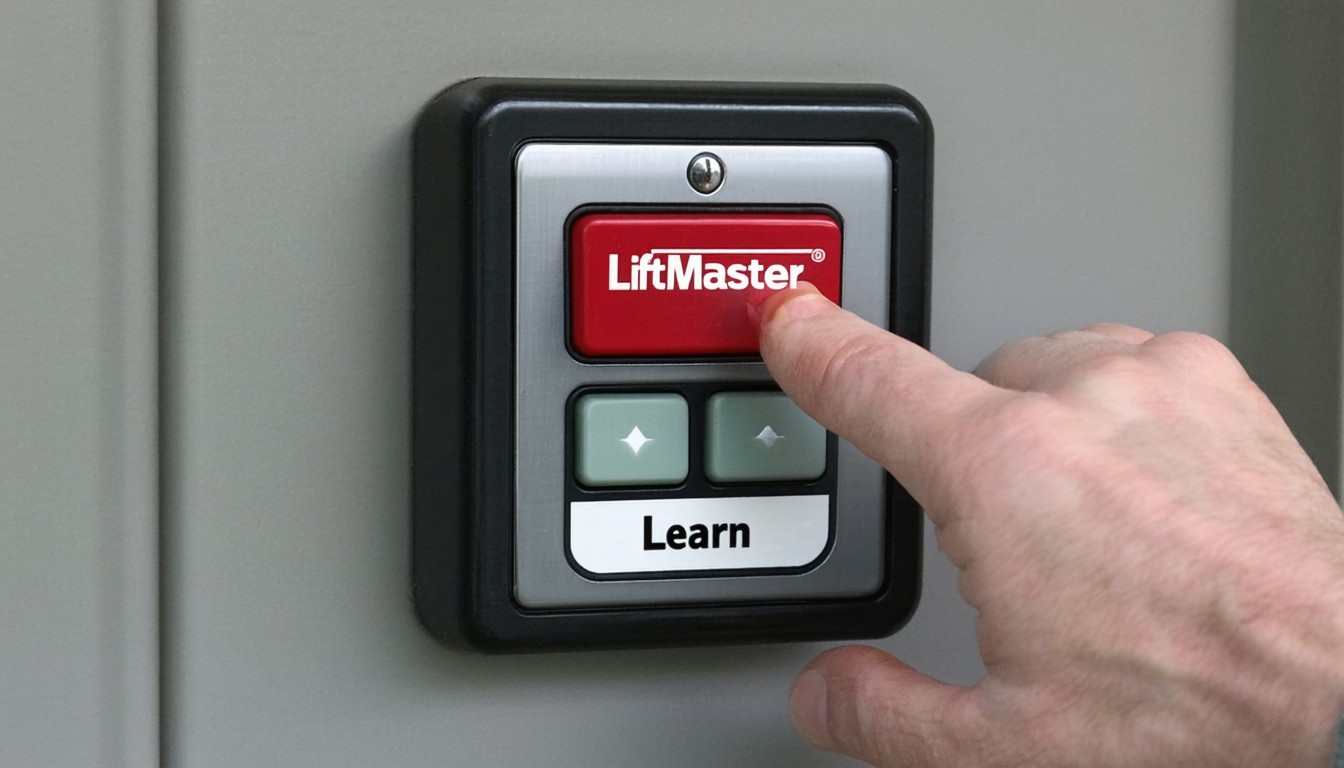
Modern garage door openers are expected to deliver both security and convenience. At the heart of this system for many LiftMaster products lies a simple yet powerful feature: the Learn Button. Although often overlooked, this button is the gateway to programming, troubleshooting, and maximizing the utility of a LiftMaster garage door opener. Whether syncing a remote, setting up wireless keypads, or clearing operational codes, understanding the function and location of the LiftMaster Learn Button can make homeownership and property management considerably more efficient.
Where to Find the LiftMaster Learn Button
Typical Locations Across Opener Models
The LiftMaster Learn Button is purposefully concealed on the opener’s motor unit to prevent accidental presses and unauthorized changes. Typically, it is found:
- Beneath the light cover or lens on the rear or side of the main unit, mounted to the ceiling.
- Near the terminal strip where wires connect to the opener.
- Sometimes behind a removable panel or on the logic board itself.
For instance, on the popular LiftMaster 8550W model, the Learn Button sits beneath the light cover next to the wire connections. Older models may have the button on the exposed side of the back panel.
Button Colors and What They Indicate
Not all Learn Buttons are exactly alike. LiftMaster has color-coded its Learn Button over the years, with each color representing a specific generation and compatibility for remotes and accessories. Common colors include:
- Yellow: Newer models (Security+ 2.0®), compatible with MyQ® technology.
- Purple: Security+® 315MHz
- Red/Orange: Security+® 390MHz
- Green: Early Security+® logic boards.
Each color corresponds with different programming protocols and compatible accessories. Homeowners should confirm their Learn Button color before purchasing new remotes or keypads to ensure successful programming.
“Locating and properly interpreting the LiftMaster Learn Button is a foundational step in efficient garage access management. Color codes can make or break your programming efforts—always double-check compatibility before making changes.”
— Tom Maloney, Certified Garage Door Technician
Core Functions of the LiftMaster Learn Button
Primary Roles in Programming and Security
The Learn Button is integral to several critical functions:
1. Programming Remotes and Keypads:
Pressing the Learn Button puts the opener into a receptive mode, allowing the user to pair new handheld remotes or wireless exterior keypads.
2. Erasing Codes:
Holding down the button for an extended period erases all programmed remotes and keypads—a vital security step when moving into a new home or after losing a remote.
3. Syncing with Home Automation:
For compatible models, the Learn Button is used to connect the garage door opener to home automation ecosystems, including LiftMaster’s MyQ® platform.
Step-By-Step Programming Process
- Locate the Learn Button on your specific model.
- Press and release the button; the LED indicator will glow.
- Within 30 seconds, press the button on the remote or keypad to sync.
- Wait for confirmation—typically a click from the opener or a blinking LED to confirm successful programming.
This process typically takes less than a minute per device, but compatibility and model-specific procedures should always be confirmed.
Troubleshooting and Best Practices
Common Issues While Using the Learn Button
Despite its straightforward nature, several issues can arise:
- Non-responsive Learn Button: May indicate power issues, logic board faults, or, in some cases, a locked opener.
- Programming Failure: Typically due to button color–accessory mismatches or exceeding the device memory limit.
- Lost Remotes/Security Concerns: Resetting and erasing all codes is imperative when devices are lost or security is compromised.
Tips for Secure and Reliable Operation
- Always clear previous codes when taking ownership of a property.
- Keep compatible remotes and accessories on hand for replacement scenarios.
- Regularly check for firmware updates or recalls affecting security features.
In practice, LiftMaster’s structured approach to programming and code clearing has prevented unauthorized access in countless cases—a testament to the importance of understanding this small but crucial button.
Real-World Applications and Security Insights
Across North America, millions of garage doors operate with LiftMaster openers. Recent consumer reports and security assessments have highlighted the value of modernized programming protocols for combatting device cloning and unauthorized access. Security+ 2.0® systems, distinguished by their yellow Learn Buttons, employ rolling code technology that changes access codes after every use—a feature strongly recommended by safety experts.
In a 2023 homeowner survey, a significant share of respondents cited the ability to clear old codes and pair new devices as a top feature influencing their choice of smart garage systems. This underscores the practical importance of the LiftMaster Learn Button beyond mere setup—it is a security linchpin.
Upgrading and Future-Proofing Your LiftMaster System
Considering MyQ® and Integrated Smart Home Solutions
For users interested in elevating their garage management, newer openers take the Learn Button’s legacy even further, serving as the gateway to MyQ® smartphone controls and integration with digital assistants. Upgrading to a compatible opener not only makes daily access seamless but also enables enhanced security alerts, scheduling, and guest access—all started by an initial press of the Learn Button.
Maintenance Recommendations
To ensure continuous and secure operation:
- Inspect your garage door opener annually.
- Replace remotes when lost or stolen.
- Update your MyQ® credentials and monitor for app security updates.
In summary, managing and understanding the LiftMaster Learn Button’s capabilities equips property owners and managers with versatile, secure, and adaptable garage access.
Conclusion
The LiftMaster Learn Button may seem like a simple feature, but its role in ensuring secure, reliable, and easy-to-manage garage door access is irreplaceable. From pairing remotes to upgrading your system’s connectivity, knowing where to find the button and how to use it is essential for safeguarding your property and maximizing convenience. For anyone maintaining a LiftMaster opener, vigilance with programming and regular code management is a worthwhile investment in peace of mind.
FAQs
Where is the LiftMaster Learn Button located?
The Learn Button is usually found on the main garage door opener unit, often beneath the light cover or close to the antenna wire. The exact position may vary depending on the opener model.
What does the color of my LiftMaster Learn Button mean?
The button’s color corresponds to specific security protocols and compatible accessories. For example, yellow indicates support for Security+ 2.0 and newer remotes, while red, purple, or green represent earlier models.
How do I reset all remote controls from my LiftMaster opener?
To erase all remotes, press and hold the Learn Button until the indicator light goes out (about 6–10 seconds). This action clears all device pairings from the opener’s memory.
Can I connect my LiftMaster opener to my phone?
If your opener features a yellow Learn Button (Security+ 2.0), it is likely compatible with MyQ® technology, allowing pairing with a smartphone app for remote monitoring and control.
What if my Learn Button doesn’t work?
Non-responsive Learn Buttons can result from electrical issues, a faulty logic board, or a locked opener. Disconnecting power briefly or consulting a technician often resolves persistent problems.
Why is it important to clear codes when moving into a new home?
Clearing previous programming removes access from any remotes that previous occupants might have, providing a vital security step for your property’s protection.
