

 February 6, 2026
  11 Min
  No Comment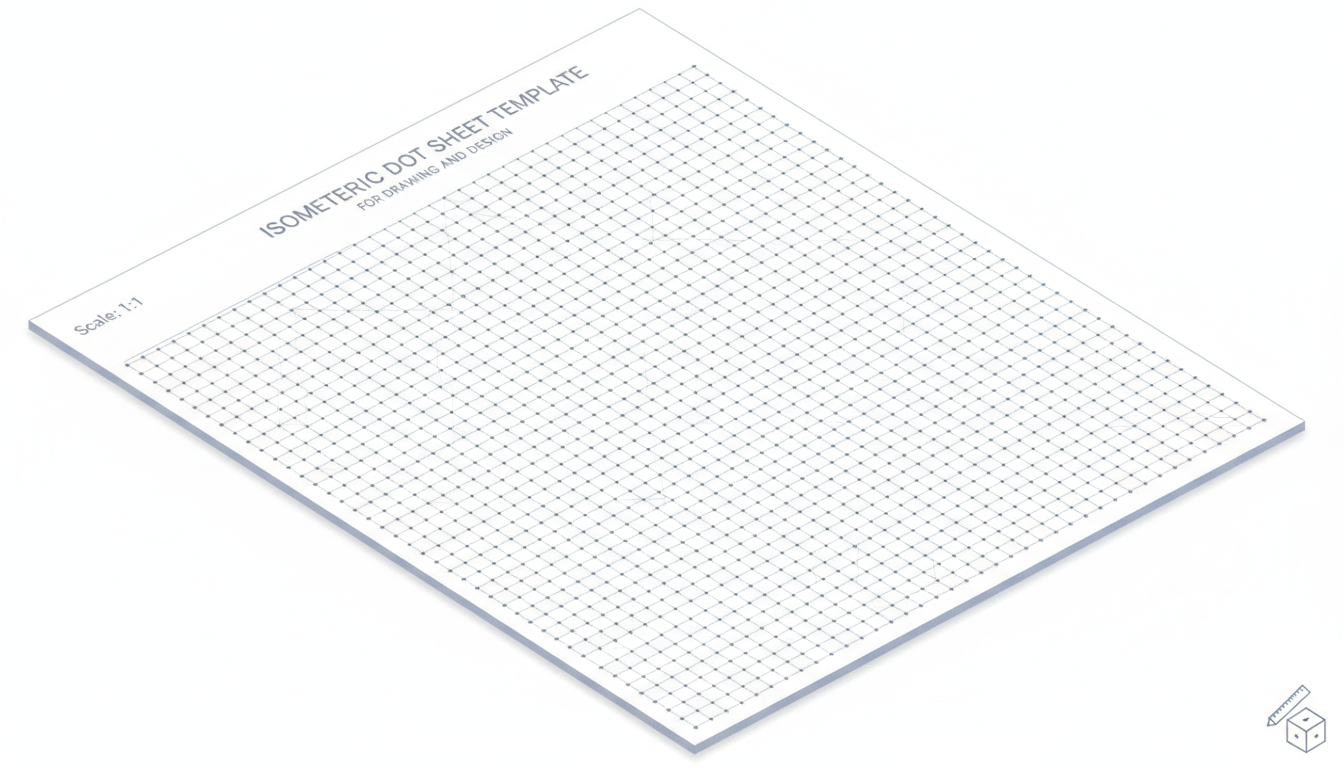
Isometric dot sheets—heck, they might feel like something from your designer friend’s sketchbook, or maybe that engineering notebook you half-abandoned in college—keep coming back. There’s something cozy about that grid of evenly spaced dots, asking you to draw in three dimensions while also whispering, “You got this.” The truth is, whether you’re a product designer exploring new forms, an architect sketching a preliminary concept, or even a Minecraft enthusiast mapping out a fortress, isometric dot sheets offer an intuitive scaffold that bridges abstract ideas and tangible visuals.
Let’s admit something: you might find them oddly addictive. You start with a simple cube and next thing you know, you’re shading, adding details, dreaming up something that wasn’t there 10 minutes ago. That’s the power of this humble template—providing structure without confining imagination.
The phrase “isometric” gets tossed around a lot, but it just means equal measure, right? Equal angles, equal spacing—easy on the eye, friendly for the brain. As I meander through the main points, you’ll see how this seemingly mundane tool holds surprising versatility, and yes, even can refine your spatial thinking over time.
The Visual Comfort and Practical Utility of Isometric Dot Sheets
Natural Alignment for 3D Thinking
At first glance, it looks like nothing more than a bunch of dots aligned diagonally. But, this alignment plays a hidden trick on your mind. It guides you unconsciously into thinking in three axes: up, forward, side. Designers lean into this because it simplifies sketching basic 3D forms—a cube, a cylinder, a pyramid—with minimal mental gymnastics. In practice, I’ve watched product engineers sketch out quick mock-ups on isometric grids during brainstorming sessions, and suddenly everyone’s on the same wavelength even before CAD files come into play.
This intuitive nod to volumetric thought isn’t just anecdotal—some educators note that isometric grids help students grasp spatial relationships faster than blank paper. Whether that’s because of visual anchors or because of the structured freedom is still debated, but the effect is real. You don’t need to be perfect—dots give you a forgiving guideline.
Flexibility Across Contexts
What’s neat is how the same sheet works across so many disciplines. In architecture, it’s ideal for illustrating floor plans in perspective—no vanishing point headaches. In video game design, especially voxel-based game engines, isometric layouts are foundational; think classic computer games or even some indie devs today. Even in engineering classes, quick parts are often first drafted with an isometric dotted guide. That’s versatility.
So whether you’re doodling, designing, or just aimless sketching—it’s a safe space. And often, that safe space encourages creativity—and occasional mistakes—which feels human and, weirdly, kind of freeing.
Constructing Your Own Printable Isometric Dot Sheet
DIY Approach: Why Not?
Creating your own printable template can feel like a mini victory. You mess around in a vector program or even Word, nudge some circles evenly, space them in a perfect grid, and—voilà—you have a sheet. But let’s be real: alignment can drive you slightly nuts. One millimeter off, and somehow everything looks off. Still, if you enjoy that sort of precise tinker, go for it; the act of creating the template may give you a deeper appreciation for how those dots standardize perspective.
Finding Ready-Made Templates: Convenience Wins
In contrast, dozens of websites offer free to download isometric dot sheets—PDFs, PNGs, sometimes even editable Illustrator or Affinity files. Google “printable isometric dot sheet template free,” and you’ll find repositories designed for everything: design students, bullet journalers, 3D sketch fans. Collecting a few that align closest to your preferred spacing—maybe 5mm, maybe 10mm—saves time and curiosity energy. Just print, glue it in your sketchbook, and go wild.
Even better, many templates come with presets tailored: smaller spacing for detailed technical sketches, wider for quick ideation. Pair that with a paper weight of around 90–120 gsm, and you get a page that doesn’t bleed if you ink over it, yet still takes pencil softly. It’s this practical harmony that makes ready-made templates such winners.
When and How the Dot Grid Boosts Creativity
Rapid Concepting and Iteration
Imagine a product team gathered around a table. One member scribbles a crude form—maybe a new type of modular lamp—on an isometric grid. Others chime in, adding lines, dimensions, shading hints. Within minutes, a half-dozen variants exist—different proportions, attachments, details. Dot sheets help that riffing flourish with little friction.
It’s not just about speed; it’s about shared language. Everyone sees axes equally, so even without explicit explanation, perspectives align. That’s a communicator’s dream and helps keep ideas fresh and collaborative.
Detail-Level Planning
On the other hand, when finishing details—say, gearing mechanisms, casing interfaces, or architectural pralines—smaller dot spacing lets you focus on minutiae. You can draft plugs, slots, screw placements, or tiny textures. It’s weirdly satisfying and just precise enough to transition into digital tools.
I once watched a game environment artist block out terrains and structures on an isometric grid before crafting them in 3D software. That rough plan provided unexpected clarity, organized mind space before jumping into technical layers.
Tips for Getting the Most Out of Your Printable Template
Tool Pairings That Actually Make a Difference
Some sketches thrive with mechanical pencils—0.3mm or 0.5mm—drawing crisp lines on the dot grid. Others benefit from qualitative shading with soft pencils or markers that ride those dots like gentle whispers. Feel free to mix mediums: maybe you sketch outlines lightly with a pencil, push the final lines with pen, and shade with marker or wash. Dot grids endure—and sometimes even adapt to—the chaos of materials.
Play with Spacing and Orientation
Don’t be shy about rotating your page 90 degrees or adjusting how you use the axes. Occasionally flipping perspectives—say, treating what was the front as the side—sparks design variations you might not think of. Plus, changing up dot spacing across different pages keeps your sense of scale dynamic and less monotonous.
Combine With Other Grids for Mixed Styles
Some hybrid templates mix isometric dots with standard square graph or dotted journal pages. The result? You get both orthogonal guidance and 3D cues. I’ve seen urban planners start with architectural layouts on square grids, then sketch building forms using dots—or vice versa. That kind of mixing fosters lateral thinking: “What if this doesn’t fit conventional plans?”—and suddenly new ideas emerge.
Addressing Possible Downsides (Because Nothing’s Perfect)
Overreliance Can Limit Freehand Skills
Yes, isometric dots guide you—and that’s liberating. But they can also train your hand to rely too heavily on structure. Over time, freehand spatial sketches might feel awkward or less accurate. One way to dodge that: alternate between dot sheets and blank pages. It keeps your instincts sharp; your hand learns both constraints and freedom.
Visual Clutter at Heavy Sketch Density
If you fill a page with lots of dense, tiny sketches, the grid can become visual noise. Especially if you’re rendering shading or textures—dots may compete with lines. A quick fix is using lighter-weight dot prints, or even sketching in reverse: lay tracing paper over the dot sheet and sketch there, so dots stay subtle.
Perspective Limits: It’s Not True 3D
Isometric projection is fixed—no vanishing points, no depth illusion. Sometimes that flat 3D look doesn’t fit the mood you want (like cinematic, dynamic perspectives). But that’s okay: reserve isometric sheets for ideation and structural form, then refine in a different tool when emotional depth matters.
Real-World Examples That Illustrate Impact
A Startup’s Product Design Sprint
I recall a design sprint at a small wearable tech startup. They used isometric dot sheets in early days to conceptualize a flexible smart band. The simplicity of sketching connectors, modules, and strap geometry helped them align fast. Soon, drawing bleeds into CAD, but those rough sheets held core geometry without overthinking. It helped the team sync mentally.
An Indie Game’s Level Mapping
An indie game dev team mapped out levels for a puzzle-platformer using isometric dot sheets. They visualized platform positioning, jumps, and environmental puzzles all in one plane. That physical sketching pumped out layout variants quickly that informed actual level builds in software. It saved hours of back-and-forth, and the visual rhythm of dots triggered novel game mechanics ideas.
Art and Journaling Communities
Oddly enough, the bullet journaling community adopted isometric dot pages for creative journaling. Daily logs, mood boards, trackers—all laid out with three-dimensional flair. It’s not just practicality; it’s about beauty and order combined. Those beautifully chaotic bullet journal spreads somehow feel more intentional because of dot grids—like chaos with a silent guide.
Quick Framework for Using Dot Sheets Effectively
- Define Intent: Sketching forms, mapping layouts, journaling?
- Choose Spacing: Larger for broad ideas, small for detail.
- Select Mediums: Pencil, pen, marker—whatever fits your phase.
- Start Loose, Then Tighten: Begin with a soft concept, refine later.
- Alternate with Blank Pages: Keep freehand agility fresh.
- Review and Digitize: Use your sketch as a base for CAD, digital art, or mockups.
That’s not some rigid regimen, more like a friendly structure that helps your creative flow not hit a wall.
Expert Insight on Isometric Grids in Design Practice
“Designers often underestimate the power of tactile tools like dot grids for early stage thinking; structure in sketching doesn’t constrain creativity—it channels it. You can iterate ideas faster, align teams organically, and preserve the essence of concepts even before digital translation.”
It’s this mix of structure and freedom—a dance between control and spontaneity—that makes isometric dot sheets so enduring. They’re not just practical, they’re human-friendly.
Conclusion: Dot Sheets as a Gateway, Not a Limitation
In sum, printable isometric dot sheet templates are more than paper with dots—they’re frameworks that support creativity while keeping ideas anchored. They encourage exploratory drawing, quick iteration, and spatial clarity. Yes, there are limits: overreliance may dull freehand skills, and the projection isn’t cinematic—but those concerns can be managed with simple practice habits like alternating methods and adjusting spacing.
The takeaway? Keep a stack of dot sheets handy. Use them early in the design process, swap to freehand when you need looseness, then circle back. Leverage their structure to build, not box in. And maybe—just maybe—you’ll surprise yourself with designs that feel surprisingly real from the first flick of a pencil.
FAQs
What is an isometric dot sheet and why use one?
An isometric dot sheet is a grid of dots arranged in 60-degree triangular formation, ideal for sketching in three dimensions. It provides subtle, structured guidance, helping users develop volumetric ideas intuitively—without the struggle of perspective lines.
How do I choose the right dot spacing for my sketches?
Dot spacing depends on your sketching needs: wider spacing (e.g., ~10mm) suits conceptual ideation and rough forms, while finer spacing (~5mm or less) supports detail work and component-level planning. It’s worth keeping multiple variants and matching them with your sketching stage.
Can isometric dot sheets limit my freehand drawing skills?
They might, if you rely on them exclusively. To maintain freehand agility, alternate dot usage with blank or lightly lined pages. This keeps your spatial intuition sharp and prevents dependency on external structure.
Are isometric dot sheets only for technical disciplines like engineering and architecture?
Not at all. While favored by those fields, dot sheets are increasingly used in game design, product concepting, creative journaling, and even bullet journaling. Their blend of order and openness appeals to a broad creative spectrum.
How do I incorporate dot sketches into digital workflows?
Use dot sheet sketches early on to brainstorm form, layout, or structure, then photograph or scan them into your digital tools (CAD, vector apps, game engines). Your analog sketches serve as visual blueprints—raw, expressive, and ready for refinement.
Any tips to prevent visual clutter on dense dot sheets?
Yes—print on lighter-weight dot patterns, work on tracing paper over the grid, or shade sparsely. If the dots compete with your rendering, reduce contrast or switch to subtler grid weights for cleaner visibility.
