

 December 25, 2025
  8 Min
8 Min  No Comment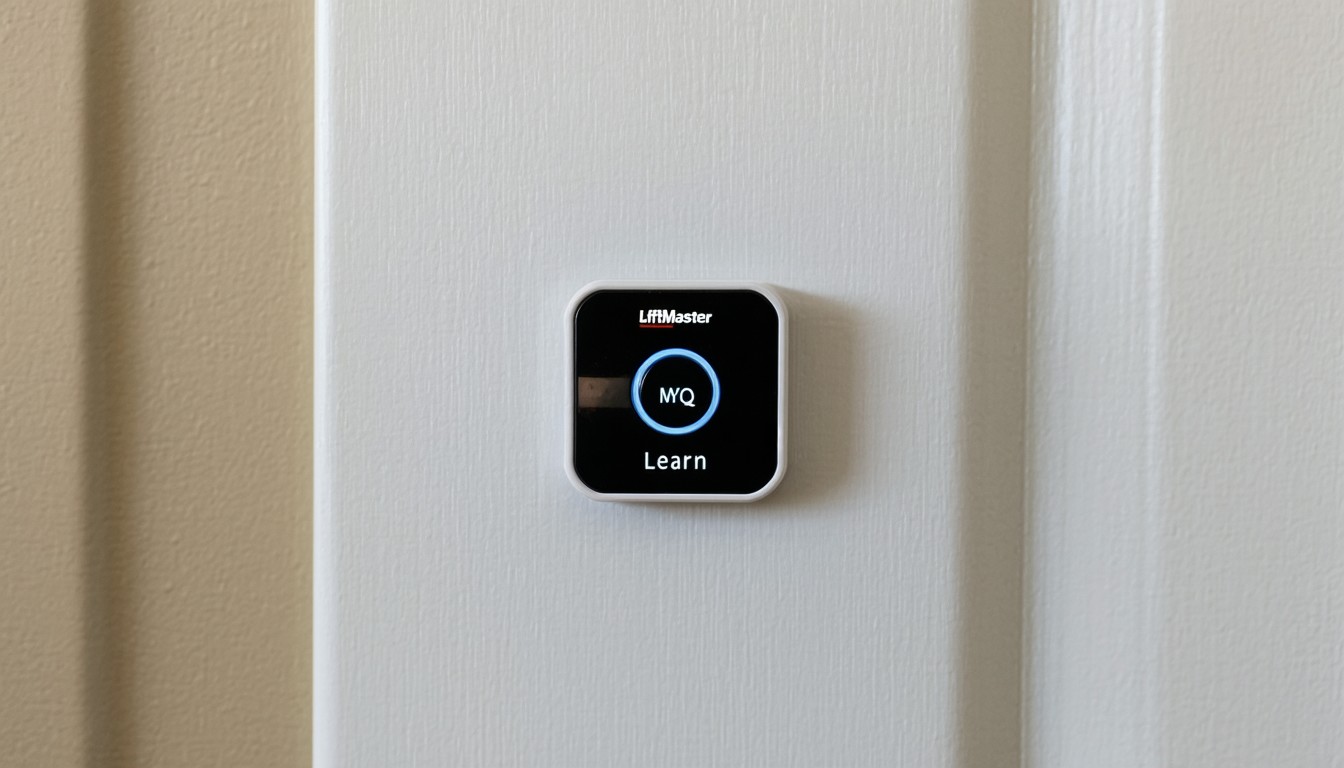
The evolution of garage door technology has transformed how homeowners secure and access their spaces. Among leading brands, LiftMaster has carved a reputation for reliability and innovation, especially with its MyQ smart garage systems. At the heart of programming and connectivity in LiftMaster openers is a small but crucial component—the “learn button.” For many users, understanding the location and function of the LiftMaster MyQ learn button is key to unlocking advanced features, from syncing remote controls to enabling smart home integrations.
MyQ technology allows users to monitor and control their garage doors remotely via smartphone apps, providing not only convenience but also peace of mind. But maximizing these benefits often starts with finding and using the learn button: the gateway to programming remotes, wireless keypads, and connecting MyQ devices.
How to Locate the Learn Button on LiftMaster Openers
The placement and color of the LiftMaster learn button can differ across models and manufacturing years. However, some universal cues simplify the search for this crucial interface.
Typical Locations for the Learn Button
In most LiftMaster garage door openers—whether chain, belt, or wall-mounted—the learn button is found in one of these locations:
- On the back or side panel of the main opener unit (usually mounted on the ceiling).
- Under a light cover or plastic panel, which can be easily popped off.
Modern LiftMaster openers, especially those compatible with MyQ, often have the learn button situated near the wiring terminals and antenna wire. Models produced in the last decade typically have a prominent button labeled “LEARN.”
Color Coding: Why It Matters
The color of your learn button does more than provide visual guidance. It determines compatibility with different remotes and accessories, and often dictates the programming steps required. Common learn button colors and their core associations include:
- Yellow: Most common on MyQ-enabled LiftMaster models; supports Security+ 2.0 technology and enhanced wireless features.
- Red/Orange: Appears on older Security+ models; compatible with a different set of remote controls.
- Purple: Security+ models from the mid-2000s; indicates a distinct frequency band.
- Green: Security+ models from the early 2000s and late ’90s.
“Locating the learn button is the first step in programming new remotes and keypads. Always check your user manual or manufacturer’s website for specifics, as button color and placement vary by model generation,” says Dan Runyan, veteran installer and security systems consultant.
Troubleshooting If You Can’t Find the Button
Occasionally, a garage door opener’s learn button may be obscured by a cover or wiring. Remove any light lenses or access panels, and ensure the unit is properly powered before beginning programming. If uncertainty remains, referencing your specific LiftMaster model number—often on a sticker near the wiring terminals—can help users find the exact learn button location with an online manual.
Programming Remotes and Keypads Using the MyQ Learn Button
Setting up new remotes, keypads, or integrating MyQ systems requires a simple but specific sequence, initiated by the learn button itself.
Step-by-Step Programming Process
- Prep and Safety: Ensure the opener is powered and accessible. Keep remotes or keypads within reach.
- Press the Learn Button: Firmly press and release the learn button. The LED adjacent to the button should illuminate or flash, signaling readiness for pairing.
- Sync Device: Within 30 seconds, press the desired button on your remote or keypad. On MyQ models, you may need to hold the remote button down for a few seconds.
- Confirmation: Listen for a click or observe flashing lights from the main opener—this signals successful pairing.
Depending on your opener’s learn button color, small differences in timing and steps may exist. Always cross-check with device instructions for your particular model.
Special Note: Integrating MyQ Accessories
For users connecting MyQ-compatible accessories or linking the opener to a home Wi-Fi network, the learn button plays a similar role. Initiating pairing mode with the button enables the MyQ app or hub to recognize and connect to the opener, extending remote control capabilities to your smartphone or smart home ecosystem.
Common Mistakes and Fixes
Many users encounter stumbling blocks during programming. The most frequent issues include:
- Attempting to pair incompatible remotes (check the learn button color-to-device compatibility).
- Holding the learn button too long, which can erase all programmed devices.
- Waiting too long between button presses, requiring a fresh programming cycle.
In practice, following manufacturer guidance and observing LED indicator behavior streamlines most troubleshooting sessions.
Real-World Examples: Learn Button Use Cases
Modern households increasingly integrate smart home technology, with garage security and access at the center of these upgrades. Consider a family adopting a LiftMaster MyQ system to allow deliveries inside their garage while away. Programming a new remote for a part-time dog walker, or adding a keypad for children to access the house after school, are just a couple of practical, real-world scenarios that begin with a simple learn button press.
Homeowner forums are replete with stories of users successfully expanding access to trusted visitors or integrating MyQ features with Amazon Key for secure in-garage deliveries. In all such examples, the learn button is the linchpin for seamless, secure expansion of system capabilities.
Security Implications of the Learn Button
Beyond basic convenience, the learn button plays a significant role in garage door security. By restricting programming to those with physical access to the opener and requiring proximity for new device registration, LiftMaster ensures that remote additions are deliberate and controlled.
Security experts often highlight that:
“Physical access to the learn button is a simple but effective safeguard against unauthorized programming. Homeowners should be cautious when sharing access—even temporary guests should be briefed on best practices,” notes Jay Lin, a home security analyst with over a decade of field experience.
In addition, utilizing advanced features enabled by the learn button—such as rolling codes and Security+ 2.0 protocols—protects against interception and unauthorized duplication of remote signals.
Best Practices for Maintaining LiftMaster MyQ Systems
Once familiar with the learn button’s function, a few proactive habits can ensure long-term reliability:
- Regular Testing: Every few months, test programmed remotes and keypads to ensure responsive operation.
- Erase Unused Codes: If a device is lost or access needs temporary revocation, press and hold the learn button for 6–10 seconds to clear all codes, then reprogram necessary devices.
- Firmware and App Updates: Periodically check for MyQ system updates, which can enhance compatibility and security.
Proper maintenance not only safeguards property but also avoids avoidable service calls or lockouts.
Conclusion
Understanding the LiftMaster MyQ learn button’s location and functionality is central to programming accessories and enjoying the full breadth of smart garage features. Whether assigning new remotes, adding MyQ integrations, or enhancing security, correctly using the learn button is foundational. Users are encouraged to reference their specific model’s manual and prioritize regular system reviews to maximize the performance and protection afforded by their LiftMaster opener.
FAQs
Where is the learn button on my LiftMaster opener?
Most LiftMaster openers have the learn button on the back or side of the main unit, often under a light cover. The button is typically labeled “LEARN” or distinguished by a colored cap such as yellow, red, purple, or green.
What does the color of the learn button mean?
The button’s color indicates the wireless technology and frequency your opener uses, guiding which accessories are compatible. For example, a yellow button usually signals Security+ 2.0 and MyQ support, while red or purple buttons suggest older Security+ versions.
How do I reset all remotes programmed to my LiftMaster garage door?
To erase all codes, press and hold the learn button for about 6–10 seconds until the indicator light goes out. This clears all remotes and keypads, and you will need to reprogram any devices you wish to continue using.
Can I use the learn button to connect my opener to the MyQ app?
Yes, the learn button is essential for pairing your opener with the MyQ app or hub. After initiating learning mode, follow in-app instructions to complete the connection process.
What if my remote isn’t working after programming it via the learn button?
Double-check that the remote is compatible with your opener’s learn button color and technology. If issues persist, repeat the programming process or consult your model’s manual for troubleshooting steps.
Is it safe to allow guests to program their own remotes?
Granting temporary access is safe when managed properly, but always monitor who has access and clear all codes if a remote is lost or a guest no longer needs entry. Use the learn button’s erase function as needed for security.
